Runs and tasks
SupaCloud draws a sharp line between what you want done and the act of doing it. Understanding that line makes the Runs view, restart behavior, and workflow drill-downs all click into place.
Task — the definition
Section titled “Task — the definition”A task is a durable definition of agentic work. It holds the things that never change between runs: project, prompt, agent type, agent profile, model, issue linkage, notes, and subtask relationships. You create a task once; you can run it many times.
Run — one execution
Section titled “Run — one execution”A run is a single execution of something. Every run has a kind:
| Kind | What it represents |
|---|---|
agent |
One container execution of an agent. A standalone user-launched task is an agent run with no parent. |
workflow |
One execution of a workflow. Its child runs are the per-node executions. |
gate / human / end |
One execution of a non-agent workflow node; always a child of a workflow run. |
Each run carries its own status, timestamps, trigger context, and — for agent
runs — its own append-only event log. Events key on run_id, not on task_id.
Restarting, and editing before you restart
Section titled “Restarting, and editing before you restart”A failed or cancelled task offers two actions on its detail page:
- Restart runs the task again exactly as it stands — same prompt, model, effort, profile, agent and issue link — as a fresh run.
- Edit & restart reopens the full launch dialog, prefilled with the task’s entire configuration: title, prompt, agent, agent profile, model, reasoning effort, the after-completion git workflow, attachments and the linked issue. Change anything you like, then restart. This is useful when the run failed because of a setting — point it at a different model, switch agents, or sharpen the prompt — without recreating the task from scratch.
The project stays fixed in the edit dialog (it is shown read-only): a task belongs to one project, and switching it could orphan a cross-project issue link, so re-editing changes everything except where the task lives. The issue link is preserved across a re-edit even if that issue has since been closed — it is cleared only when you actively pick no issue in the dialog.
The execution environment
Section titled “The execution environment”An agent run executes inside a hardened Docker container, and SupaCloud chooses
that container’s image from your project’s language. At launch it scans the
repository for stack markers — package.json, Cargo.toml, requirements.txt,
*.csproj, go.mod, pom.xml, and friends — and starts the image that carries
the matching toolchain:
| Detected language | Image | Toolchain on top of the agent base |
|---|---|---|
| Node.js / TypeScript | node (lean default) |
Node + npm |
| Python, Rust, C#/.NET, Go, Java | full |
Python, Rust, .NET, Go and Java SDKs |
Both images bake in the agent CLIs (Claude Code, Codex, Qwen, opencode,
openclaude, Copilot) and the Gemini runner, so every agent type works in either
image. A Rust, Python, C#, Go or Java project therefore runs against a real SDK
instead of failing with command not found.
Workflow run — the same model
Section titled “Workflow run — the same model”A workflow execution is a kind='workflow' run. Each node in that workflow
becomes a child run whose parent_run_id points back to the workflow run. An
agent node is simultaneously an agent run (it has a task_id and spins up a
container) and a child of the workflow run. There is exactly one run model,
not a separate workflow-run concept alongside a general one.
This tree structure is what powers the Runs view’s drill-down: a workflow run expands into its per-node runs, and each agent node run expands into its event log.
Lenses on a run
Section titled “Lenses on a run”A run’s detail page offers up to three lenses — different ways to look at the same run — that you switch between with a segmented control:
- Tree — the run’s step hierarchy. Each node shows its status, cost and duration, and you drill from a workflow run down into its per-node runs.
- Events — the live event log. This is the same feed the verbosity dial and Debug mode affect, so what you see here follows those settings.
- Waterfall — a bespoke timeline that lays the run’s steps on a time axis. Each step is a bar whose width is proportional to how long it took, nested by depth, so you can see where a run spent its time — which step dominated, where it waited, what ran in parallel. Selecting a bar opens a step inspector beside the timeline with that step’s input, output, logs and retry history, and a topology toggle redraws the steps as a dependency graph. From the run header you can replay (restart) the run, optionally with overrides. A run the backlog dispatcher started is never replayed: its header offers Open backlog and Requeue item instead, which puts the backlog item back in the queue for the dispatcher’s next pass.
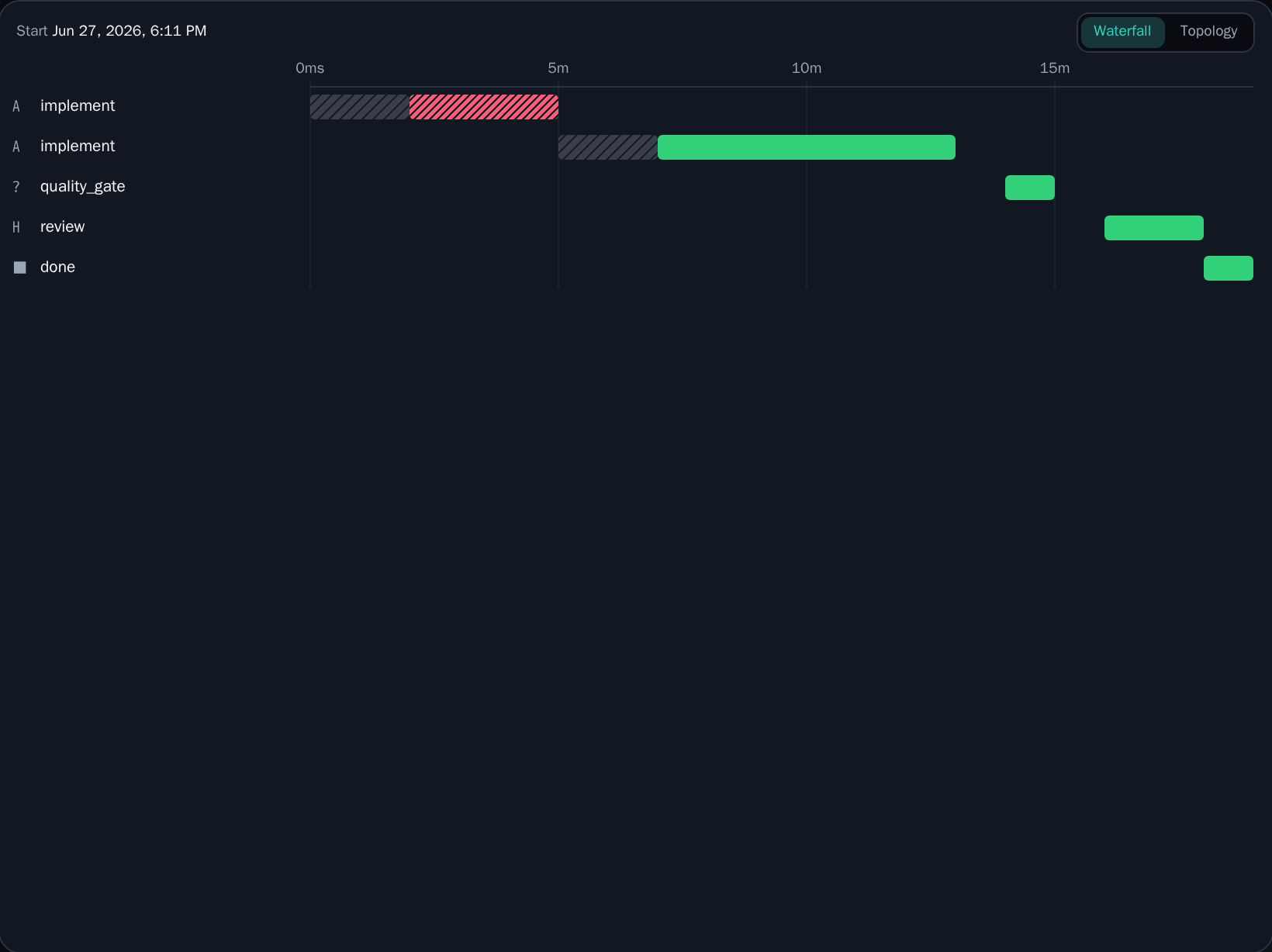
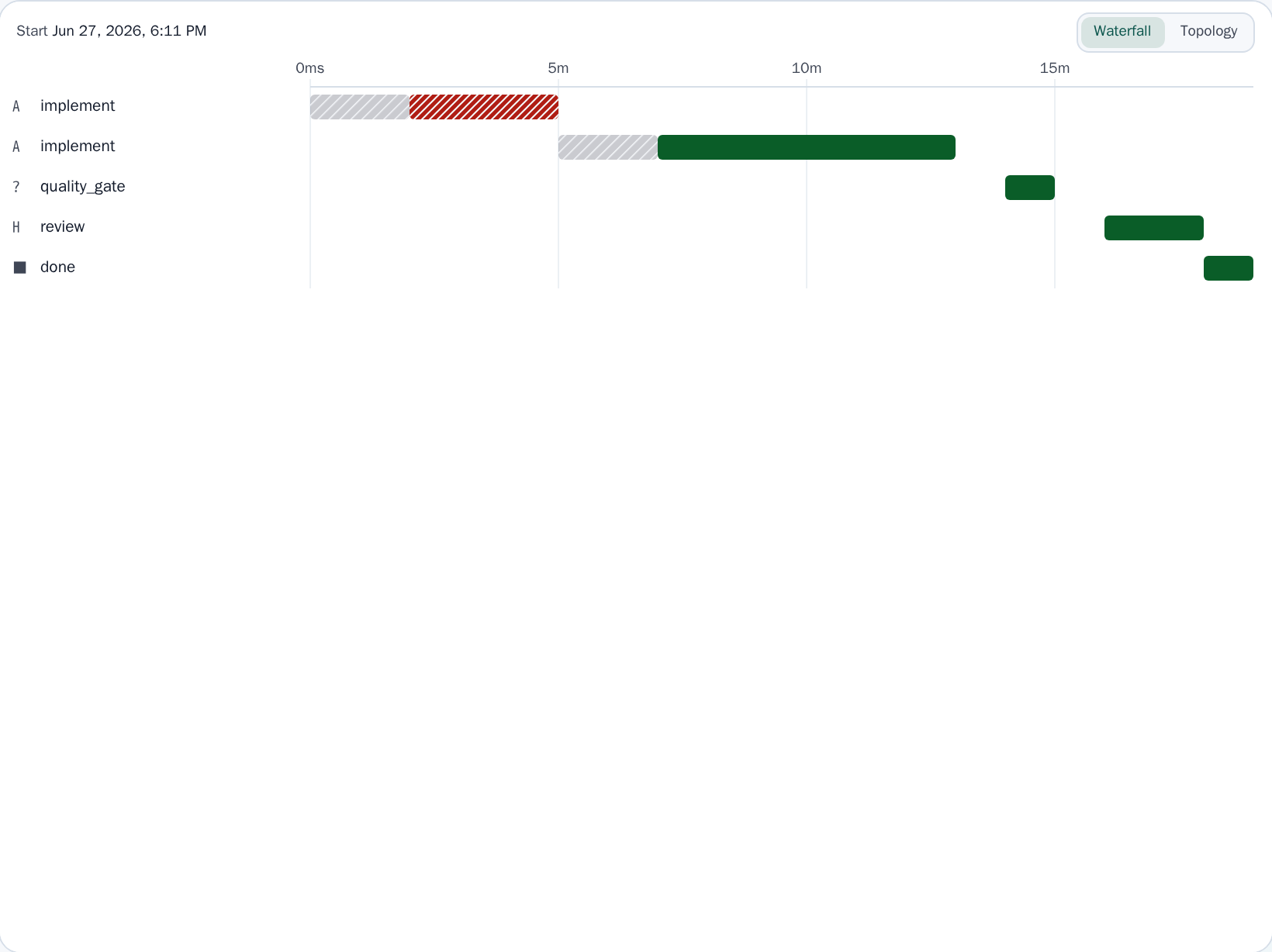
Which lenses appear depends on the run’s kind. A multi-step workflow run shows Tree and Waterfall — its child runs supply the timing the timeline draws — while a single agent run shows Events. The chosen lens is kept in the page URL, so a refresh or a shared link reopens the run on the same lens.
What tasks still carries
Section titled “What tasks still carries”tasks keeps a denormalised mirror of the latest run’s status, container,
branch, and timestamps. This mirror exists only to avoid a runs join on every
task-list read — it is explicitly a cache, not the source of truth. If you
need execution history, restart counts, or per-run logs, read runs (and the
/runs view), not the task row.
Triggers
Section titled “Triggers”Every run records how it started in trigger_kind:
manual— launched from the web UI, CLI terminal, or a Telegram/Discord command.schedule— fired by a task schedule.workflow— an agent node launched by the workflow engine as a child run.backlog— launched by the autonomous backlog dispatcher for one backlog item.git/webhook/email— event-driven triggers.
The Runs view
Section titled “The Runs view”The /runs page in the web UI shows a per-run timeline: status, kind, trigger,
duration, and attempt number. Clicking a run opens its own log. Clicking a
workflow run shows its child node runs as a tree, each drillable into its own
log.
A task’s run history (all agent runs for that task, across attempts) is
accessible from the task-detail page.
This model is defined in ADR 0022 (runs as a first-class entity). For how tasks relate to workspaces and projects, see Workspaces and Organizations.